
Top 5 AI Tools for Packaging Design
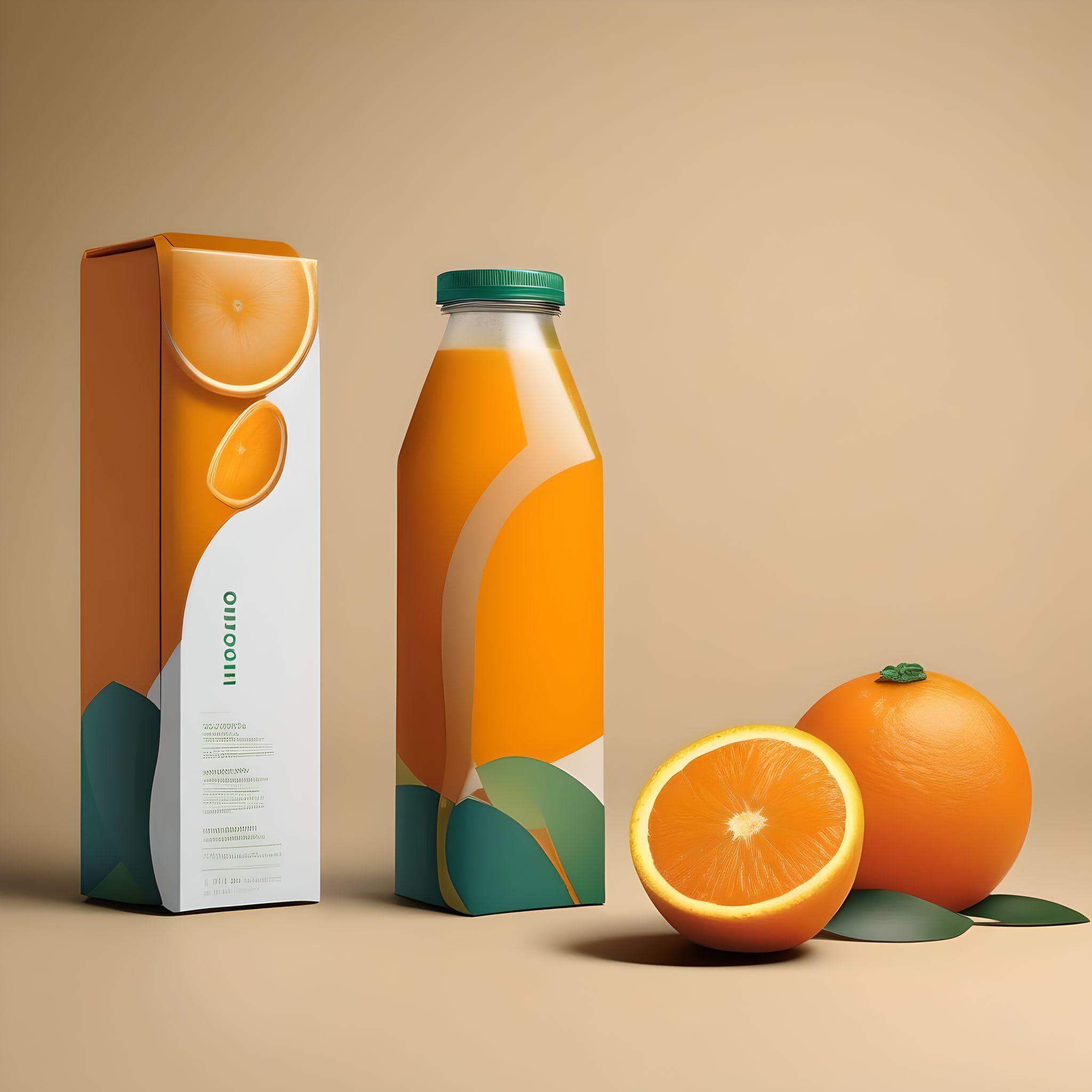
Generative artificial intelligence (Gen AI) tools are making their way into virtually every industry, including the $1.1 trillion USD packaging industry. The topic of AI can evoke mixed feelings among professionals and consumers, but there is one thing that is certain—generative AI tools seem to be here to stay for the foreseeable future.
These tools enable professionals to brainstorm unique packaging ideas and designs. Generative AI tools should not be used in isolation or as a one-stop shop; rather, they can help inspire the creative process and improve the workflows of designers and other packaging professionals.
This notion is supported by a recent study from T&T Design Group. The study of 3,600 consumers in the US and Europe found that when consumers compared product packaging designs made 100% by AI, through a hybrid approach (human + AI assistance), and 100% by humans, AI-only designs scored the lowest, while hybrid designs received the highest appeal and “willingness-to-pay premium” scores.
In other words, relying on generative AI tools for 100% of packaging and product design work may not produce the same consumer response as combining AI with human creativity. A human touch remains essential for packaging and product design in 2026, and we expect that to remain the case for the foreseeable future.
Join us as we explore an array of generative AI tools that you can incorporate into your packaging design projects.
AI Tools to Aid in Packaging Design
Midjourney
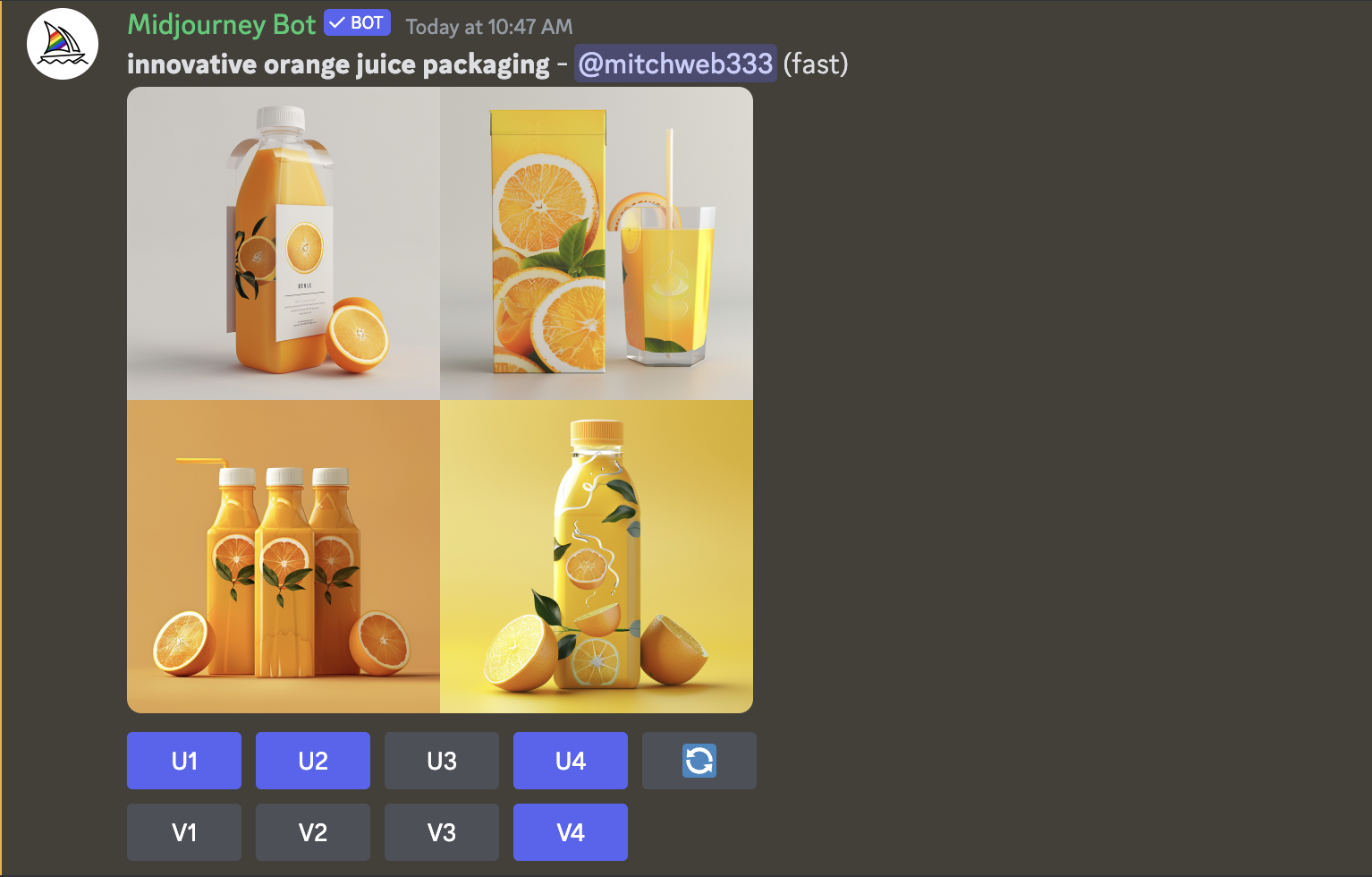
Midjourney is a generative AI tool developed by a San Francisco-based research lab. The program uses text prompts to generate images based on user inputs. Users who access the platform through a Discord account, enter a chat room to generate images.
Midjourney proves to be an effective tool in the brainstorming stage of the packaging design process. For example, if your brand is looking to redesign a packaging system with new brand colors, Midjourney can generate mockups to help kick off the creative process.
Midjourney offers a number of subscription plans, ranging from $10 USD per month for the Basic Plan to $120 USD per month for the Mega Plan.
For this experiment, we used Midjourney through Discord. After creating a Discord account and subscribing to Midjourney, users can join a channel and begin generating images. To enter a text-to-image prompt in Discord, type "/imagine" followed by your desired prompt.
We tested Midjourney using the prompt "innovative orange juice packaging." Here is an example of what it generated:
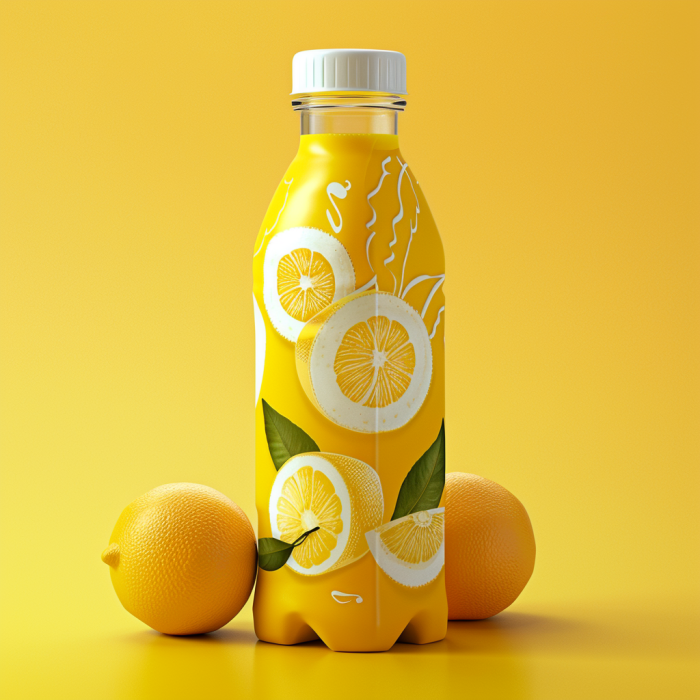
Midjourney lets you generate different versions from one prompt, which you can customize by choosing U1, U2, U3, or U4. The image above was created by selecting U4 from the initial prompt (see first image in this article) and then selecting "V4," which created four new variations similar to the original U4.
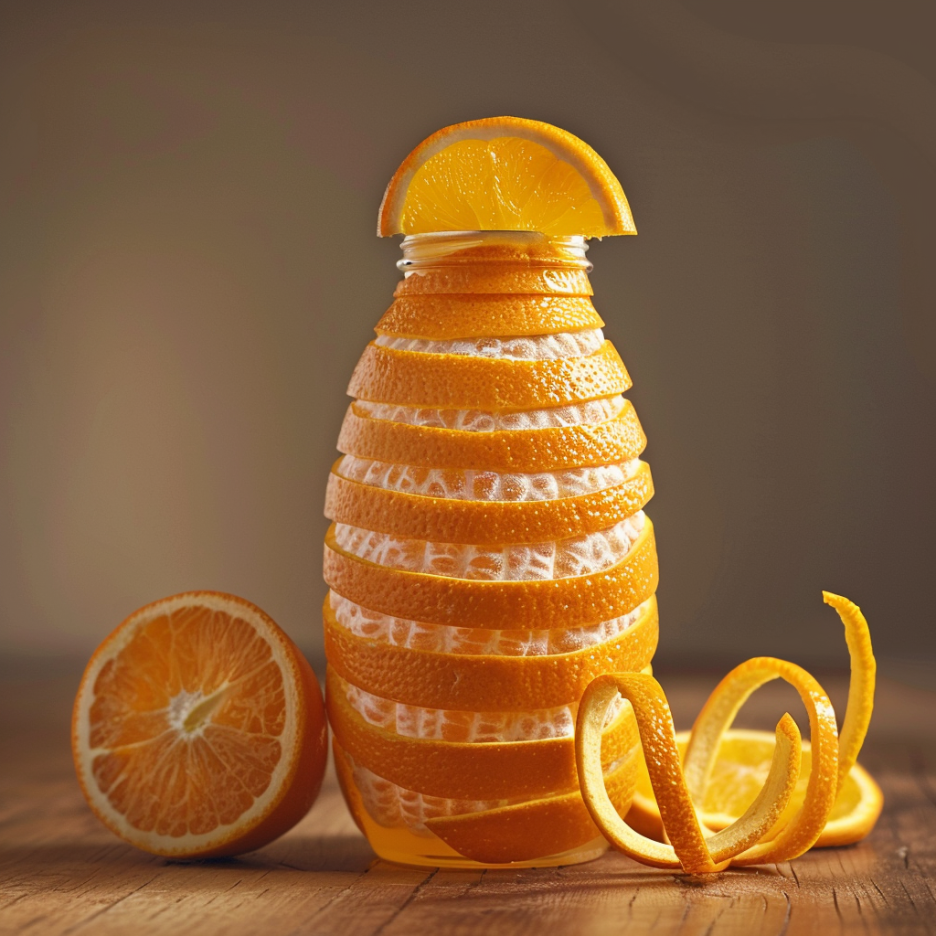
Additionally, we wanted to see whether more detailed prompts would cause Midjourney to produce unexpected or inaccurate results—sometimes referred to as AI hallucinations. We decided to try a longer prompt to see how the tool responded and entered the following:
/imagine [innovative and sustainable orange juice packaging made of orange peels]
As with the other Midjourney prompts we tested, it produced four examples in under a minute. The following image was one of my favorites:
Midjourney is a powerful tool for generating creative packaging design mockups. While it is the most complex tool of the six tools covered in this article, the learning curve was worth it, as the outputs were among the best in this experiment.
Fotor AI
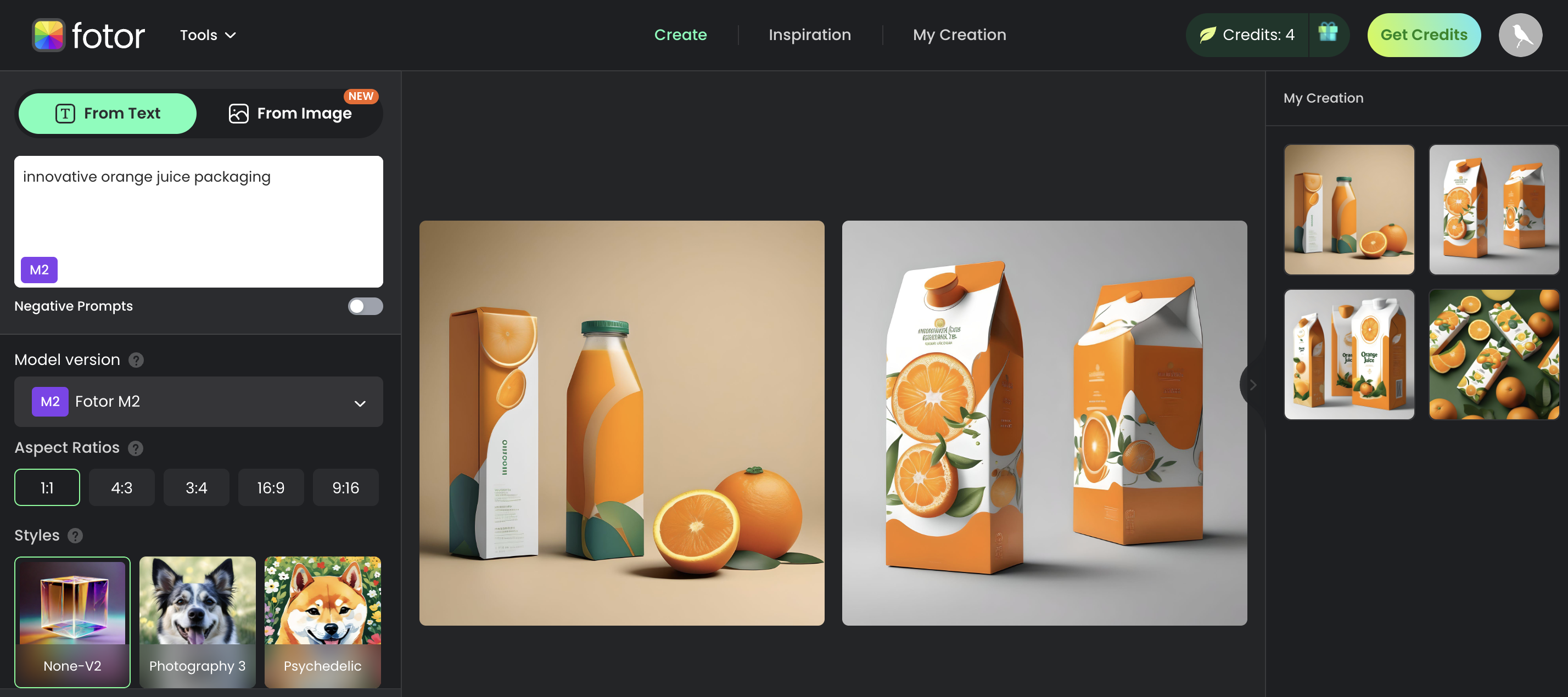
Fotor is a generative AI platform designed to aid in the product design and development process, allowing users to generate an array of innovative packaging design ideas in seconds.
We decided to explore Fotor and run a quick test on its effectiveness in generating clear and relevant images from text-based prompts.
As you can see in the picture above, you enter a text-based input in the top left—I entered "innovative orange juice packaging"—and images are generated in the middle section, with previously generated images archived on the right.
In the free version, users are allotted credits to explore the platform, with each query that generates two images costing two credits. We found Fotor to be a user-friendly option and a great introduction to how generative AI can aid in the packaging development process.
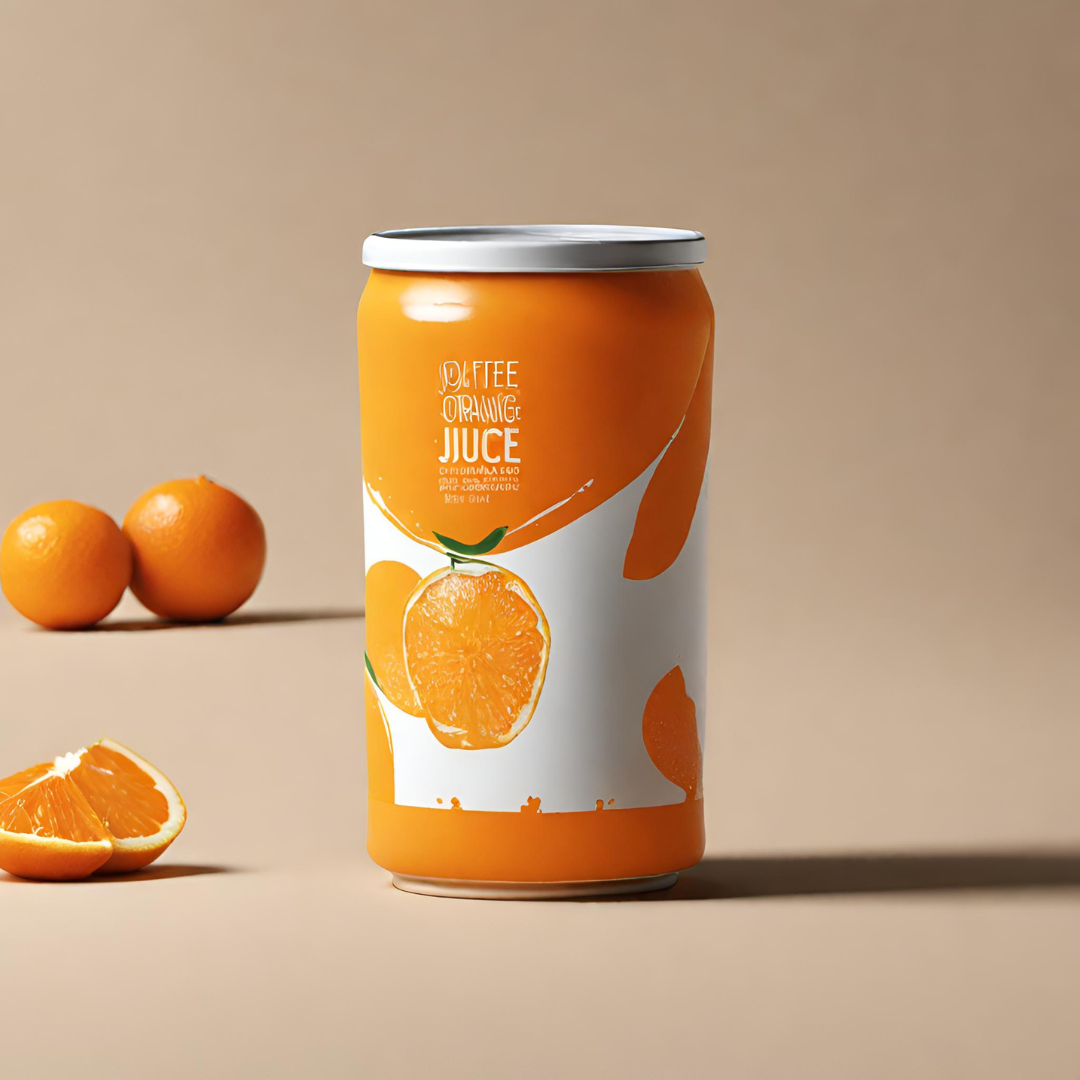
Look below to see the image generated in just seconds using the simple prompt "innovative orange juice packaging."
.jpg)
Fotor includes a number of pricing plans, including a free version (which we used for the design above), Fotor Pro at $3.33 USD per month, and Fotor Pro+ at $7.49 USD per month.
Canva Magic Studio: Text to Image
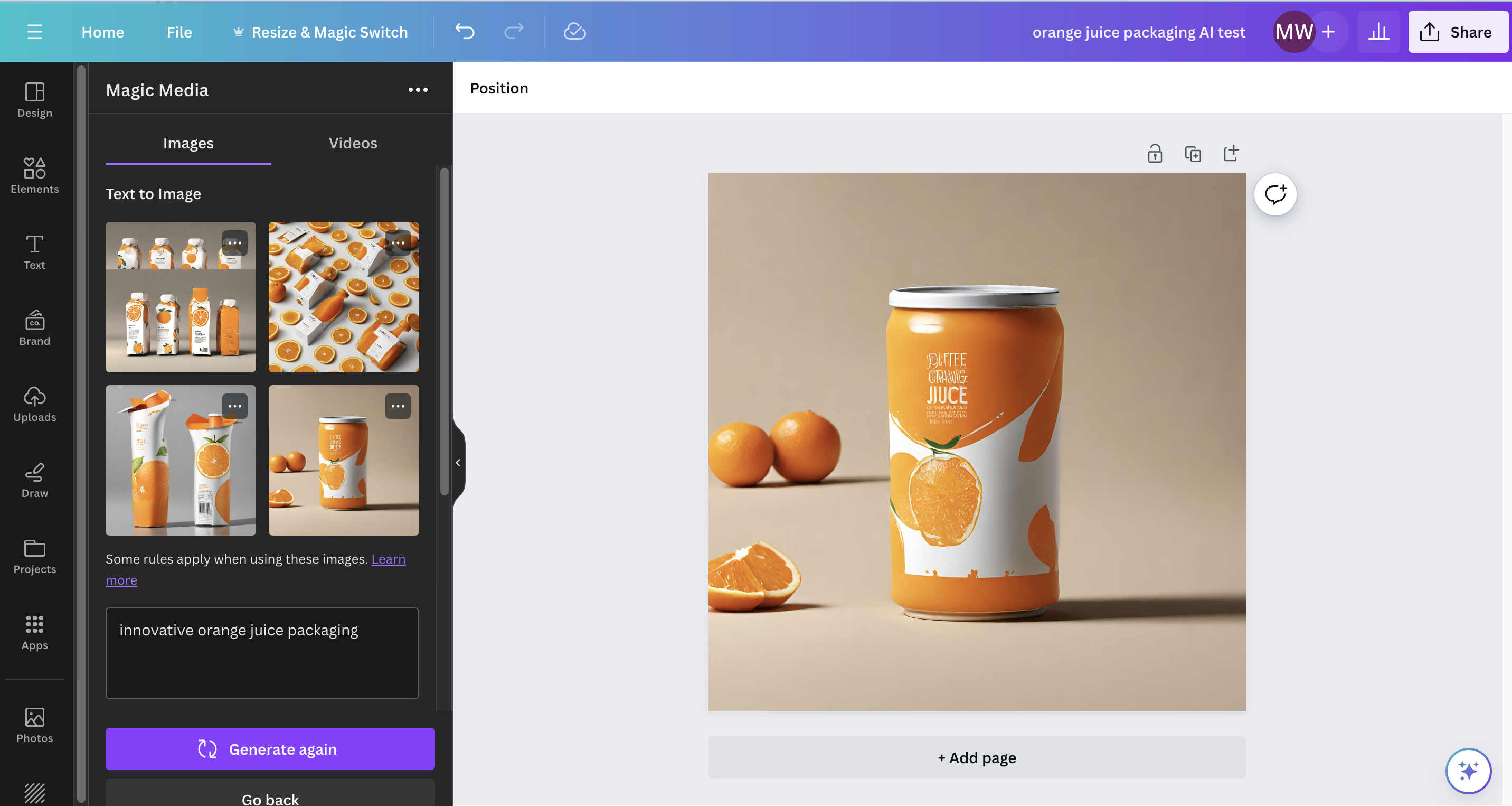
Canva's Magic Studio offers a number of accessible and efficient generative AI tools for designers. From software that transforms prompts into images to tools that expand images, Canva Magic Studio offers a variety of ways AI can support the packaging design process.
For the sake of packaging design inspiration, we decided to explore Canva's Text to Image feature using the same prompt used for all the tools:
"innovative orange juice packaging"
Canva generated four designs in less than a minute. Canva also provides an option to generate additional images if you are not happy with the initial output. Similar to Fotor, Canva's Text to Image AI tool is a great place to start when exploring how to incorporate generative AI into your packaging design process.
You can access Canva's generative AI tools through the free version of Canva, making it an easy option to explore if your team already uses Canva for day-to-day marketing and content creation efforts.
Adobe Express: Text to Image
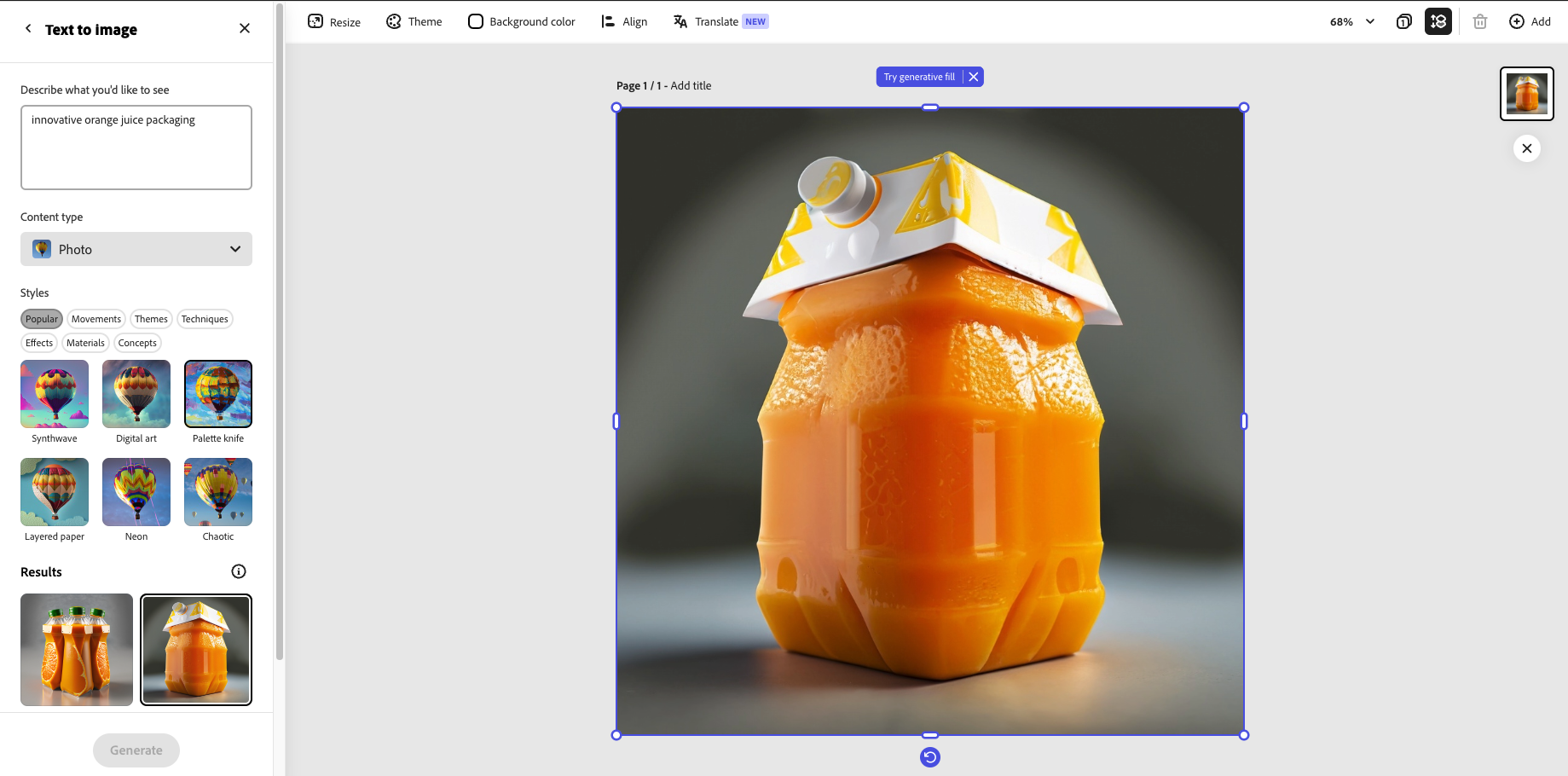
Similar to Canva, Adobe Express offers a number of generative AI tools, from Text to Image to Generative Fill to Text to Template.
Adobe’s Text to Image tool is quite similar to Canva’s, although Adobe offers more options for stylistic customization. As you can see in the image above, once you input a prompt, you can choose from the following Content Type options: None, Photo (as pictured above), Graphic, and Art.
Additionally, Adobe's tool allows users to choose from an array of styles, including chaotic, digital art, synthwave, and more. One particularly interesting component for packaging design is the ability to choose material type. For example, you can select options like layered paper, metal, and fabric.
This feature differentiates Adobe from some of the other tools explored in this article, empowering packaging designers to envision how different materials could come together in unique designs. Interested in a multi-material packaging system? Adobe allows you to select multiple materials and incorporate them into the image-generation process, potentially leading to more relevant and actionable design ideas.
To stay on theme, we decided to run the same prompt—"innovative orange juice packaging"—through Adobe's tool. The results were funky and fun, demonstrating the range of visual styles the tool can generate.
The image below is one of the outputs from the prompt. Based on our experimentation, we recommend exploring the available options and selecting Photo rather than Graphic or Art when looking for more realistic packaging design inspiration. You can also experiment with different material types.
.png)
We decided to test the limits of the tool by incorporating some of the parameters mentioned above. Let's say a packaging designer is tasked with generating ideas for an innovative orange juice packaging system made primarily of metal that taps into nostalgia marketing trends.
Here is the output when using the same text prompt—"innovative orange juice packaging"—but also selecting Metal under Materials and Nostalgic under Concepts in the Styles section. The image below was one of several generated:
.png)
For a free tool tied to an Adobe account, the Text to Image generator can help get the creative wheels spinning. For the more complex prompt tested above, however, we recommend a tool like Midjourney.
Access to Adobe's suite of generative AI tools, including the Text to Image generator, is available through Adobe Express. Similar to Canva, Adobe is already part of many companies’ creative workflows, making Adobe Express an accessible way to explore how generative AI can support packaging projects.
Explore how Mattel experimented with Adobe’s AI tools to support Barbie packaging design here.
Pacdora: Packify.ai
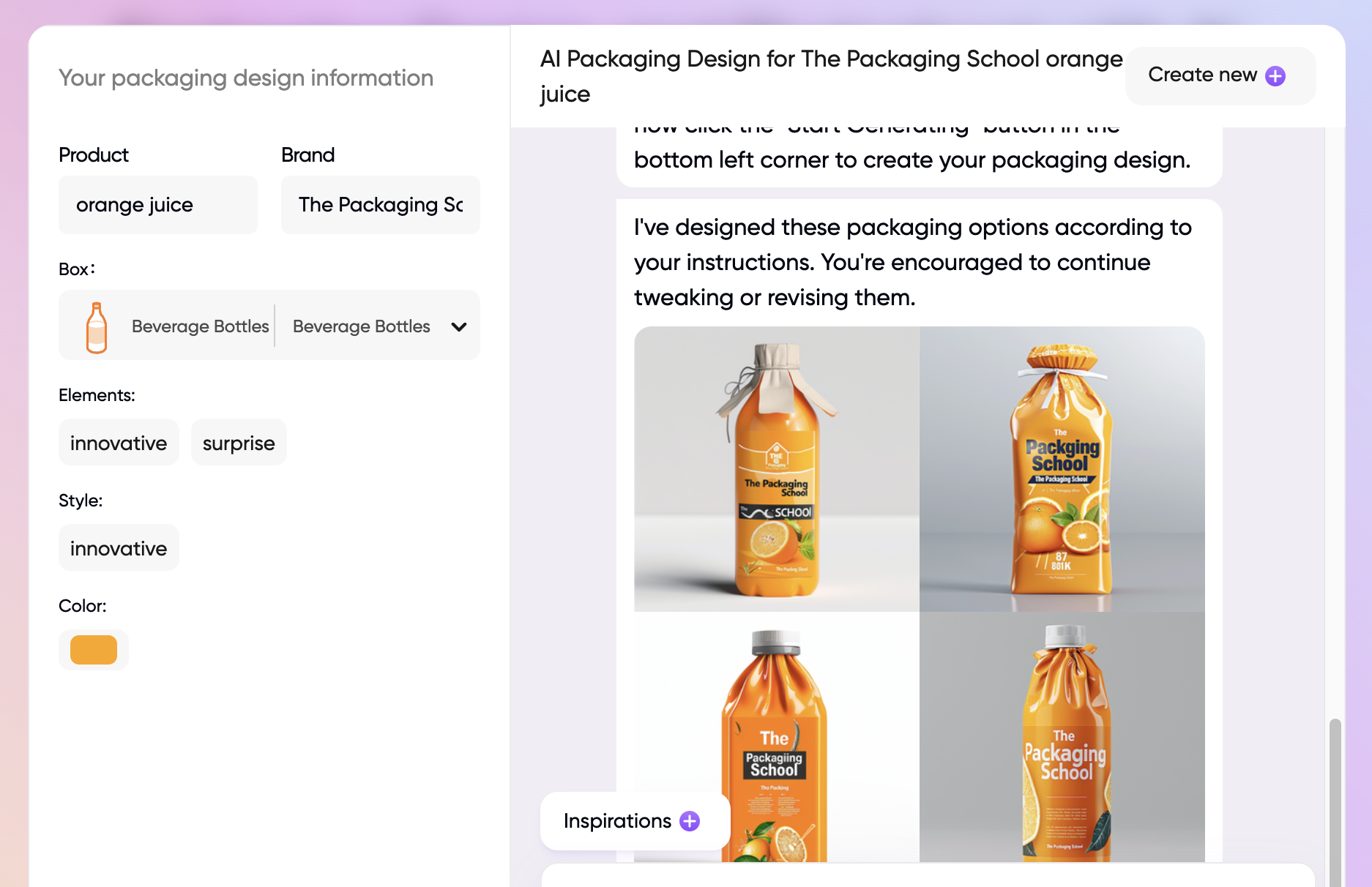
With all this generative AI talk, you might be wondering: Are there any generative AI tools designed specifically for packaging design inspiration? The answer is yes, and it’s Pacdora’s Packify.ai!
Pacdora offers an online platform with packaging design solutions that include more than 49,000 mockup generators, 3D design tools, template and dieline generator, and more. Drawing on its expertise in packaging design, Pacdora developed Packify.ai to empower designers to, in its words, “focus on creativity and reduce repetitive graphic work.”
Since Packify.ai was intentionally designed to support AI-powered packaging design mockups, its interface is slightly different than those of ChatGPT or Adobe Express.
Because of this difference, we were not able to put in the prompt—“innovative orange juice packaging”—that we used to test the other platforms.
Here is we used Packify.ai for packaging design inspiration:
Packify.ai started with this question:
Hi there! Could you describe your desired packaging design? For example, tell me about your brand and product.
Our response was:
Looking for innovative orange juice packaging
Packify.ai responded:
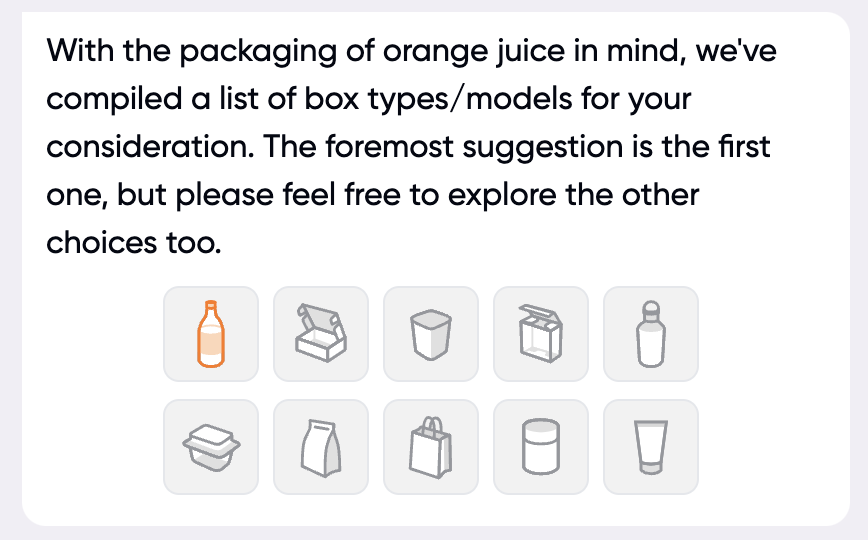
We selected the “Beverage bottle” option, because it made the most sense for orange juice packaging.
Packify.ai then responded:
Thank you for the information so far. Could you please provide the brand name for your orange juice product? This will help us create a more cohesive branded packaging design.
We navigated to the left side of the chat window and entered “orange juice” in the Product section and “The Packaging School'' in the Brand section.
This is one of Packify.ai’s most distinctive features: It allows users to customize their designs with brand names, colors, elements, styles, and more before generating images.
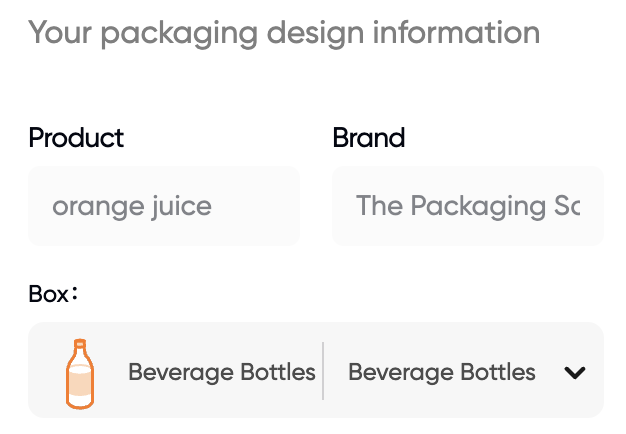
After completing these prompts, Packify.ai responded:
Thank you for the information. Could you please describe the design style you envision for your orange juice packaging?
We responded:
Something innovative
Packify.ai responded:
Thank you for the details. Could you please specify the main color or colors you would like to use for your orange juice packaging? This will help us create a visually appealing design.
To stay consistent with the spontaneity of the other tools, we responded:
Surprise me!
Packify.ai responded:
Thank you for the comprehensive details. It looks like we have most of the information we need. You can now click the “Start Generating” button in the bottom left corner to create your packaging design.
We proceeded to click “Start Generating” . . .
Moments later, we received this response from Packify.ai:
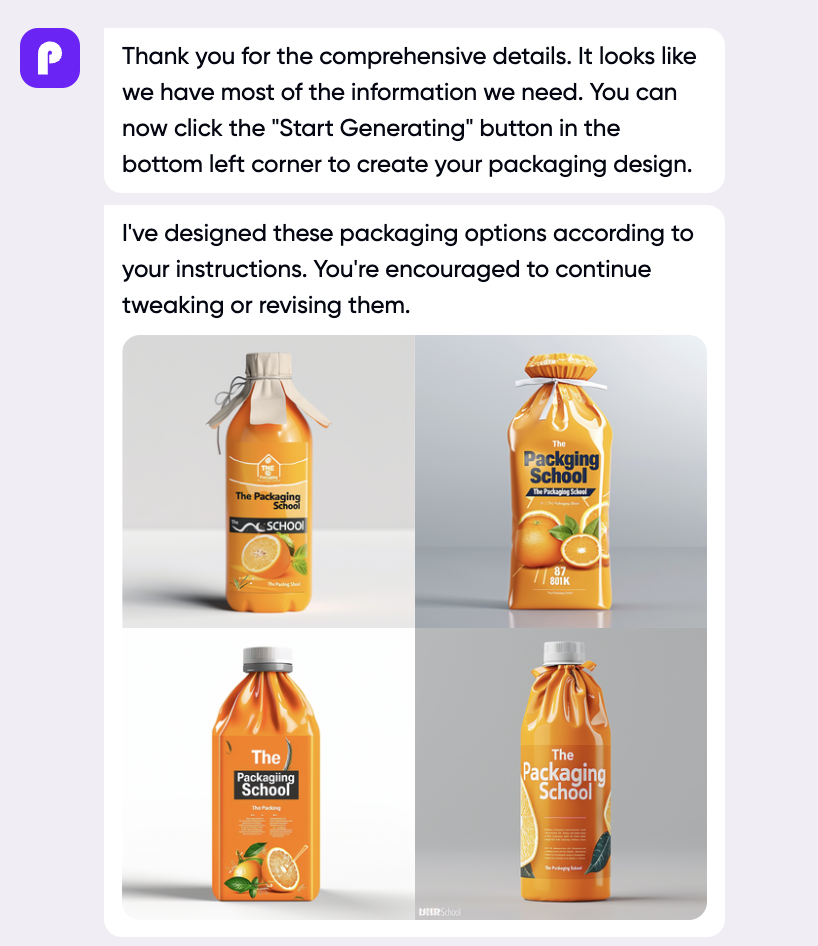
Let's take a closer look at one of these images . . .
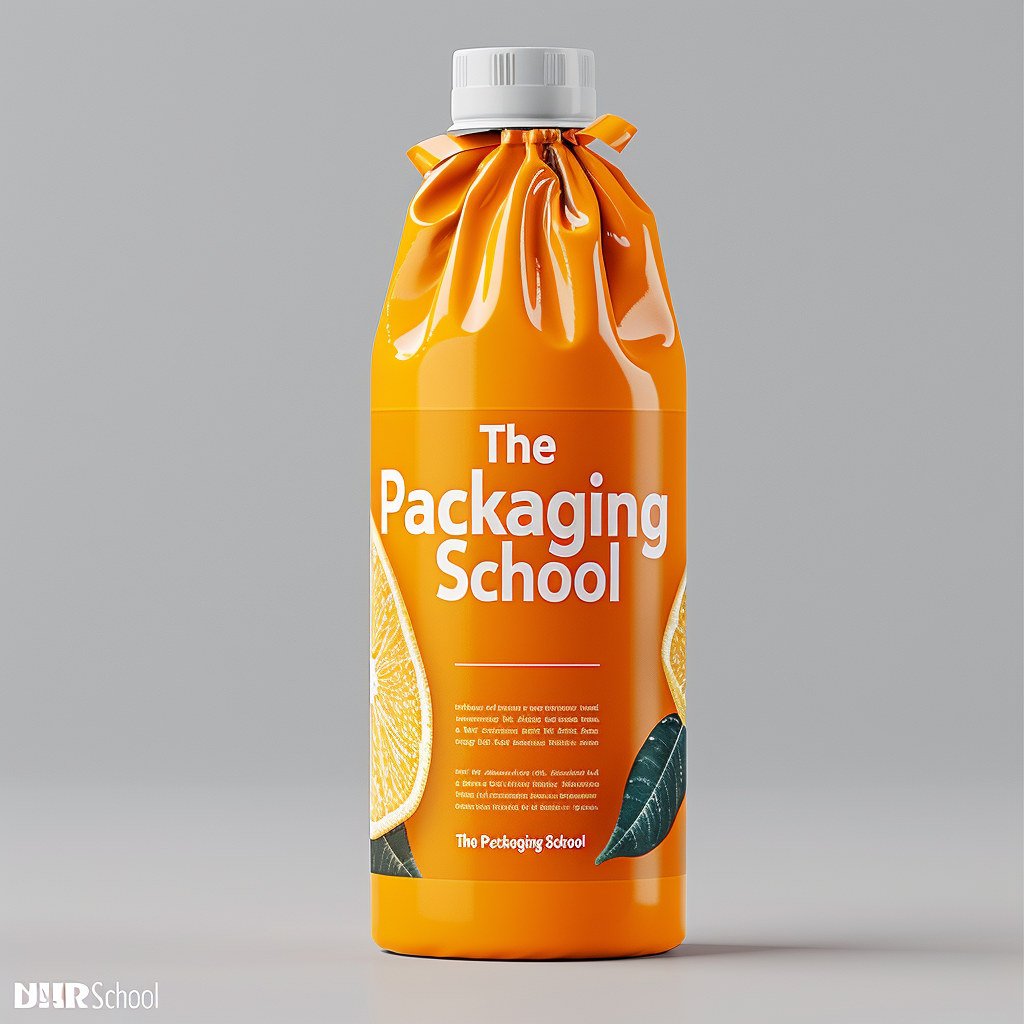
It’s really impressive that Packify.ai allows you to see how your brand name could look on a potential package; this capability helps differentiate it from the other generative AI tools we explored. The package appears to be some sort of bagged orange juice tied at the neck and topped with what looks like a plastic—or perhaps bioplastic—lid. We were impressed with the results: innovative and eye-catching, but also seemingly feasible.
We really enjoyed our experience using Packify.ai, as it is designed specifically for packaging professionals. Similar to the other tools, we recommend brainstorming before using Packify.ai, as the platform offers a high degree of customization and interaction with the AI.
Packify.ai currently offers a free plan that includes the AI Packaging Design tool explored above as well as an AI Packaging Photoshoot tool.
With the free plan, users receive two designs per month, two photoshoots per month, and the ability to export their creations. Packify.ai also offers a Pro plan, with additional features and higher usage limits. You can learn more about Packify.ai’s current pricing here.
More AI Packaging Design Content to Come
This is just the start of our content series on using generative AI tools for packaging design inspiration.
To learn more about packaging design principles and methods, check out our online courses:
By signing up you indicate you have read and agree to our Terms of Use. Packaging School will always respect your privacy.
